The tools a campus ambassador program needs are simpler than most software vendors suggest: a WhatsApp group structure for communication, a form for applications and mission reports, a unique referral code or tracked link per ambassador, and one tracking sheet that rolls everything up by college and by person. Start with these four. Buy or build a dashboard only when the sheet starts costing you more hours than software would.
This guide is for the team setting up campus ambassador programs who wants a working stack in a week without a development project. It explains what each tool does, how to set it up for Indian campuses, and the point at which a purpose-built platform earns its cost.
What the stack has to do
Strip away the product demos and a program has five jobs that need tools:
- Reach ambassadors quickly and keep them in one place.
- Collect applications and select people.
- Hand out missions and collect proof that they were done.
- Attribute results to the right ambassador and the right college.
- Pay people accurately and on time.
Everything below maps to one of these. If a tool does not help with one of them, skip it for now.
WhatsApp: the real operating system
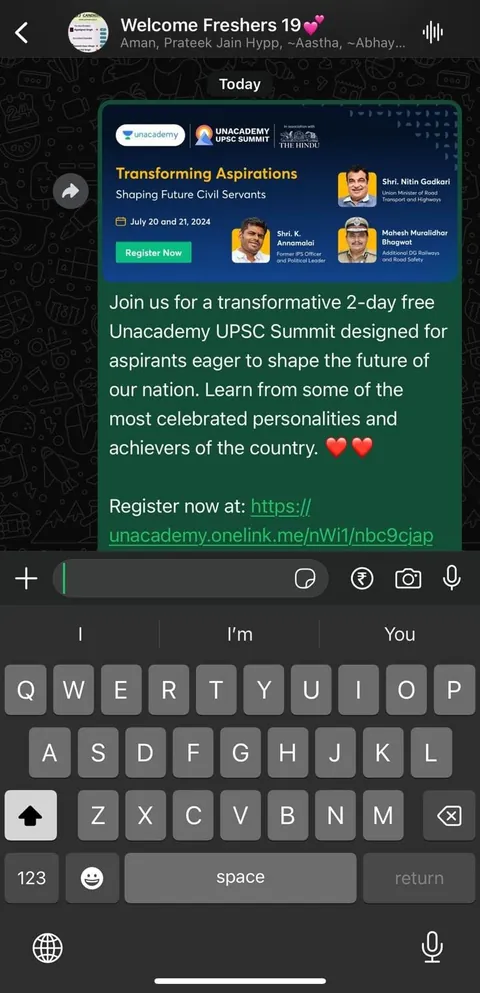
Students live on WhatsApp, not email. Ambassadors will ignore a Slack workspace and miss an email, but they will answer a WhatsApp message in minutes. A sensible structure:
| Group | Members | Purpose |
|---|---|---|
| Program announcements | All ambassadors, brand team, admins only post | Mission launches, deadlines, payout dates. No chatter |
| City or cluster groups | Ambassadors in one city plus a city lead | Questions, local coordination, sharing what worked |
| Top performers group | Optional, small | Early access, feedback calls, recognition |
| Per-college support | Each ambassador creates their own, not the brand | Their campus class or hostel groups, which the brand never joins |
Keep the announcement group read-only for ambassadors. Two or three admins is enough. Set a rule that anything needing a decision, such as a payout dispute or a permission query, moves to a direct message or a form so it does not get lost in 200 messages. Broadcast lists work for reminders, but expect lower response than a named message.
Do not let the program manager become a human switchboard. If you have more than about 40 ambassadors, appoint city or campus leads who answer first-level questions.
Forms: applications, missions and reporting
A form tool such as Google Forms, Typeform or a similar builder covers most needs.
Application form. Ask for name, college, course and year, hostel or day scholar, societies they belong to, the class and hostel groups they can reach, social handles if they have them, and a short answer to “tell us about the last thing you got your friends to try.” It is a better screen than follower count. Collect phone and email with a clear statement of how you use them. Score the answers for reach inside the college, not for follower count.
Mission report form. One short form per mission, with a field for ambassador code, college, mission name, number of people reached or tried, a photo or screenshot upload, and a comment box for what went wrong. The comment box produces your best product feedback. Keep it to under two minutes to fill, or people stop.
Payout request or confirmation form. Optional, but useful where per-mission pay applies. It creates a record that the ambassador claimed, the program verified and a date was set.
Referral codes and tracked links
Attribution is where most programs lose their credibility. If you cannot tell which ambassador or college drove an outcome, you cannot pay fairly or learn anything.
- Referral codes work best for apps, e-commerce and anything with a checkout. Give each ambassador a unique, memorable code. Use a prefix for the college so reports sort cleanly.
- UTM-tagged links work for landing pages, sign-up pages and event registrations. Tag source as the program, medium as ambassador, and campaign as the mission or semester. Use a separate content tag for the ambassador and college.
- Short links make them shareable in WhatsApp and Instagram bios. Use a link shortener you control, so you can switch destinations later.
- QR codes help in the offline world: a poster on the hostel notice board, a stall counter, a sampling card. Point them at a tracked link.
For design details, fraud checks and the EatSure Campus50 example, read campus ambassador referral codes. When we ran youth user acquisition for EatSure through ambassadors and creators with the Campus50 code, it delivered 10K+ app installs, 30K+ unique signups and 40% ROI, which is the kind of result that only holds up if attribution is clean. The full story is in the EatSure case study.
The tracking sheet
One shared spreadsheet is enough for the first 50 ambassadors. Build it with three tabs.
| Tab | Rows | Key columns |
|---|---|---|
| Ambassadors | One per ambassador | ID, name, college, city, code, join date, status, contact, agreement signed |
| Missions | One per assigned mission per ambassador | Ambassador ID, mission, assigned date, due date, status, proof link, reward due, paid date |
| Results | One per outcome or period | College, ambassador ID, outcome type, count, week, source |
From these, a summary tab shows outcomes per college, per ambassador, cost per outcome, missions completed and payouts pending. The point of the summary is to answer three questions in under a minute: who is active, who is delivering, and who is owed money.
Protect the sheet. Give edit access to two people, view access to the rest, and keep a backup copy every week. Personal data such as phone numbers and bank details should sit in a separate restricted sheet, not the one the whole team opens. For what to measure and how often, see how to measure a campus ambassador program.
Building a simple dashboard
A free dashboard tool connected to the tracking sheet gives you a weekly view without extra work. Useful tiles: outcomes this week versus last, outcomes by college, active ambassadors, missions completed on time, cost per outcome and payouts pending. Resist adding 30 charts. A program manager needs five numbers on one page on Monday morning.
Build or buy
| Option | Suits | Watch out for |
|---|---|---|
| Sheets, forms and WhatsApp | Pilots and programs up to roughly 50 ambassadors | Manual work grows fast; error risk in payouts |
| Sheets plus a light dashboard and automations | 50 to 200 ambassadors | Someone must maintain it |
| Dedicated ambassador platform | Large or long-running programs with gamification, leaderboards and automated payouts | Subscription cost, student adoption (another app to download), setup time |
| Custom build | Brands wanting to integrate with their own app or CRM | Development cost and maintenance; rarely justified in year one |
A rule that works: do not buy software before a pilot has proved the program is worth running. Our guide to running a campus ambassador pilot shows how to set that up on a sheet. If you plan to run at scale, our campus ambassador programs service already includes tracking, payouts and reporting so you do not build the stack yourself.
Mistakes with tools
- Using email for ambassador communication.
- Introducing a new app students must download before they can earn anything.
- No unique code per ambassador, which makes the data useless.
- Collecting bank details in a public sheet or WhatsApp chat.
- A dashboard nobody opens. Build the weekly review habit first.
- Tracking only outcomes, not whether missions were completed, so you cannot tell the difference between a failing mission and an absent ambassador.
If you want a ready stack set up for your program, contact us with your target colleges and outcome.
Questions people ask
What tools do I need to run a campus ambassador program?
At minimum you need WhatsApp groups for communication, a form for applications and mission reports, a unique referral code or tracked link for each ambassador, and a shared sheet that rolls up results by college and person. That covers a pilot and most programs up to about 50 ambassadors.
Should I build or buy a campus ambassador platform?
Start with sheets, forms and WhatsApp. Buy a platform once manual tracking costs more time than the subscription, usually past 50 to 100 ambassadors, or when you need leaderboards and automated payouts. Build custom only when you need integration with your own app or CRM.
How do I track which ambassador drove a sign-up?
Give every ambassador a unique referral code or UTM-tagged link, with the college built into the code or the tags. Check that your sign-up or checkout flow records the code. Review results weekly and flag unusual spikes, since a few self-referrals can make one ambassador look unrealistically strong.
Why use WhatsApp instead of email for ambassadors?
Students check WhatsApp constantly and often ignore email. Mission launches and deadlines reach them within minutes on WhatsApp. Keep a read-only announcement group, city groups for questions and a direct message route for anything private, such as payouts.
What should a campus ambassador tracking sheet include?
Three tabs: ambassadors (ID, college, city, code, status, agreement signed), missions (assigned, due, status, proof, reward and paid date) and results (outcomes by college, ambassador and week). A summary tab shows outcomes per college, cost per outcome and payouts pending.
Is a dashboard worth it for a small program?
Not at first. A tidy sheet with a summary tab is enough for a pilot. Add a simple dashboard when you have several cities and want a weekly view without manual work, but keep it to five or six numbers the program manager acts on.