A campus ambassador WhatsApp group works best as separate layers: a one-way announcement channel, a discussion group for ambassadors, and private threads for reporting and payouts. Indian students already live on WhatsApp, so the program meets them where they are. The risk is that one noisy group becomes the entire operation and the program drowns in memes, unread messages and screenshots.
This guide is for brand teams running campus ambassador programs in India who want to know how to set up the groups, what to post and when, how to collect reports without chasing, and at what size WhatsApp stops being enough.
Why WhatsApp is the default, and what it costs you
Every ambassador already has WhatsApp open, checks it in lectures and uses it with class groups, hostel floors and society cores. An email from a brand gets read on a good day. A WhatsApp message gets read in minutes.
The trade-off is control. WhatsApp gives you no task tracking, no verification, no clean export of who did what, and no separation between program messages and everyone’s other lives. Phone numbers are visible inside groups, which means you need consent and a clear rule about not scraping or reusing them. Keep that in mind when you collect numbers at recruitment: say what they will be used for and delete them when a person leaves.
The layered structure
| Layer | Who is in it | What happens there | Who can post |
|---|---|---|---|
| Announcements | All ambassadors | Mission drops, deadlines, payouts, winners, changes | Program team only |
| Ambassador group | All ambassadors | Questions, tips, wins, peer help | Everyone, with rules |
| College or city pods | 5 to 15 ambassadors of one city or region | Local coordination, event logistics, regional language | Everyone, lead moderates |
| Private threads | One ambassador and the program manager | Proof submission, payout queries, problems | Two people |
The announcement layer can be a WhatsApp Community announcement group or a normal group with admin-only posting. Pods matter once you pass about 30 colleges, because a single group of 300 students from 30 cities has no usable conversation. Create pods by city or by language, not by college, otherwise you create 30 groups nobody monitors.
Naming, admins and the first message
Name groups plainly: “BrandName Campus Crew 2026-27 Announcements”. Make at least two program team members admins so replies do not depend on one phone. Add one or two senior ambassadors as admins in pods only.
The first pinned message should contain:
- What the program is and who runs it.
- The weekly rhythm (see below).
- The scoring and payout rules in four lines, with a link to the full brief.
- Group etiquette (below).
- Who to message privately for payouts and problems.
Pin it, and re-post it when someone new is added. Most confusion in ambassador groups comes from people who joined late and never saw the rules.
A weekly rhythm that students can rely on
Predictability replaces constant reminders. A rhythm like this works for most programs, and you can change the days to suit your product.
| Day | Message | Notes |
|---|---|---|
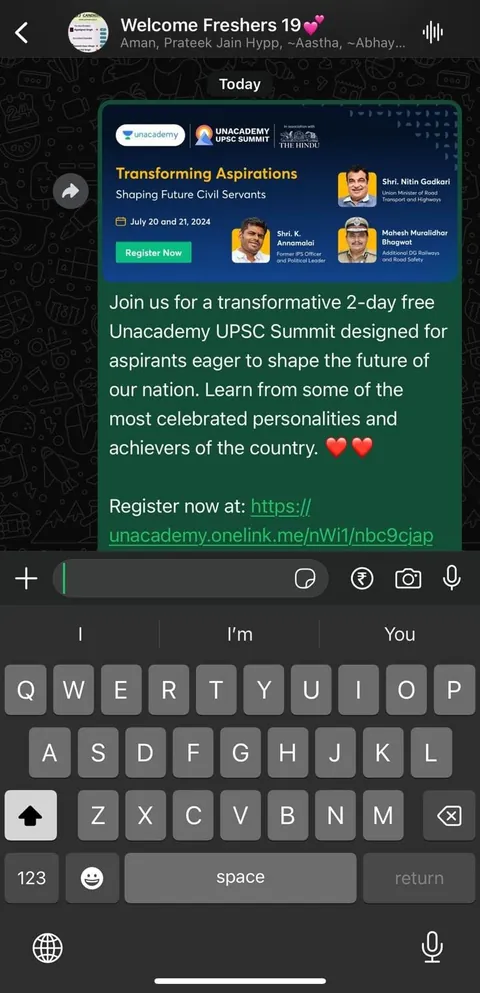
| Monday | Mission drop: what, why, how, deadline, proof needed | One mission per message, with the brief as a short image or PDF |
| Wednesday | Reminder and answer to the top question of the week | Reply to the group, not each person |
| Friday | Proof deadline | Reminder by 4 pm, since students check after classes |
| Saturday | Wins: best submission, shout-outs, leaderboard note | Public recognition is the cheapest incentive you have |
| Sunday | Quiet | Respect the weekend and keep ambassadors from burning out |
Keep messages short. A mission message should fit on one phone screen: what to do, by when, what counts as proof, what it pays. Put the detail in a linked brief. In regional pods, add a short line in Hindi, Tamil, Bengali or the local language next to the English version, which helps in tier-2 and tier-3 colleges.
Mission drops and reporting
Missions move through WhatsApp like this: announcement, brief link, student does the task, student sends proof privately, program manager acknowledges within one working day, points update on the weekly board.
Ask for proof in a fixed format so you can verify quickly:
- A photo or screenshot with a date, plus a one-line caption in the format “Name | College | Mission | Date”.
- For sampling or stall missions, a photo with the sample count written on paper.
- For referral missions, a screenshot of the dashboard or the code stats.
Do not accept proof in the main group. It buries messages and invites copying. Create a simple Google Form or a shared sheet for submission as soon as the roster passes a few dozen people, and keep WhatsApp for nudges. The weekly or monthly report should then be built from the form, not from scrolling chats. A report template helps decide which fields to capture.
Etiquette and moderation
Write the rules down and enforce them with consistency, not heat.
- No forwards, no unrelated promotions, no political or religious content, no screenshots of private threads.
- No messages after 9:30 pm except urgent event-day logistics. Students sleep in hostels with roommates.
- Reply to questions within two working hours on weekdays, which is the same standard we hold ourselves to with brand enquiries.
- Praise in public, correct in private. A public “this proof is wrong” costs you the student.
- Keep the group free of brand-internal talk. Never post your margins, unannounced launches or internal feedback on ambassadors.
- Use ASCI rules for anything students post: paid or barter posts need a clear label such as #ad or #collab.
Mute-friendly design matters. Students leave groups that ping all day. Cap announcements to roughly one a day and batch your updates.
A worked example (hypothetical)
For example, a skincare brand running a semester program across 25 colleges in Delhi NCR, Pune and Bangalore might set up one announcement group for all 100 ambassadors, three city pods, and a submission form. Monday 6 pm: a poster sampling mission drops in the announcement group with a one-page brief. The pods discuss logistics. By Friday 6 pm, proofs come in privately or through the form. On Saturday the program manager posts the top three submissions and moves the leaderboard. At the start of exams in November, the cadence drops to a single mission every ten days, using the pre-planned exam-season rhythm. This is an illustration, not a past result.
When to move off WhatsApp
WhatsApp is enough until it is not. Signs it is time to add a tool:
| Sign | What to add |
|---|---|
| You cannot answer who did which mission last month | A submission form or sheet with an ID per ambassador |
| Payouts are late or disputed | A payout tracker with status and dates |
| More than about 30 colleges, or several managers | City leads, a shared dashboard and a ticket queue |
| You need reporting for a client or leadership | A reporting view that pulls from the form, not chats |
| Ambassadors want a place for their own history and certificates | A basic portal or the platform of your agency partner |
Even after you add a tool, keep WhatsApp for nudges and community. The tool is where work is recorded, and the group is where people feel part of something.
If you would rather not run this yourself, our campus ambassador programs service includes the group setup, daily moderation and weekly verification, and the agency versus in-house guide lays out the trade-offs. To plan a program, contact Youthfluence.
Questions people ask
Should I use a WhatsApp group or a Community for ambassadors?
A Community is useful as the umbrella: one announcement group everyone joins, plus linked groups for cities or topics. A single plain group is fine below roughly 30 people. Whatever you pick, keep announcements admin-only so mission drops are not buried under conversation.
How many ambassadors should be in one WhatsApp group?
Keep discussion groups small enough that people still know each other, usually 5 to 15 per city or regional pod. Use one large admin-only group for announcements. A single big discussion group tends to go silent, then loud with irrelevant forwards.
Is it safe to share ambassadors’ phone numbers in a group?
Numbers are visible to other members, so say so at recruitment and get consent. Do not export or reuse them for other marketing, and remove a person’s number from your records when they leave. Recruit adults only.
What should I post in a campus ambassador WhatsApp group?
Mission drops, deadlines, one reminder, winner announcements, product answers and the occasional wins post. Keep each message short and single-purpose. Avoid long brand talk, repeated reminders and anything you would be uncomfortable seeing screenshotted and shared.
How do I collect proof of work from ambassadors?
Ask for proof privately or through a form in a fixed format: date, name, college, mission and a photo or screenshot. Verify within one working day. Never take proof in the main group, because it invites copying and buries the next mission.
When should I stop using WhatsApp for my ambassador program?
When you cannot tell who did what, payouts are slipping, or several managers need the same view. Add a form or dashboard for records and payouts, and keep WhatsApp for nudges, community and quick questions.